



Close Menu
The Prop Journalist
    Latest Posts
    rules, returns relaunches this week in prop

    Rules, Returns and Relaunches – This Week In Prop

    August 29, 2026
    my forex funds claims form

    My Forex Funds Opens Claims for Accounts Frozen in 2023

    August 27, 2026
    FundingPips SUME rule removed

    FundingPips Removes SUME Rule After Community Backlash

    August 27, 2026
    X (Twitter) YouTube Discord
    X (Twitter) YouTube Discord
    The Prop JournalistThe Prop Journalist
    Subscribe
    Sunday, August 30
    • Home
    • Reviews
    • Guides
    • Analysis
    • News
    • This Week In Prop
    • Deals & Discounts
    The Prop Journalist
    Home » Guides » How To Trade On TradingView With Apex Trader Funding

    How To Trade On TradingView With Apex Trader Funding

    The Prop JournalistBy The Prop JournalistApril 28, 2026 Guides 2 Mins Read
    Share
    Facebook Twitter Email WhatsApp Copy Link

    In this article I’ll show you how to trade on TradingView with an Apex Trader Funding account. Setting this up will give you live futures market data, instead of the delayed data with a free account.

    Table of Contents

    Toggle
    • Purchase Apex Tradovate Evaluation (Use Discount Code TPJ)
    • Get Tradovate Credentials & Activate Account
    • Activate TradingView Add-on
    • Connect Tradovate to TradingView
    • Conclusion

    Purchase Apex Tradovate Evaluation (Use Discount Code TPJ)

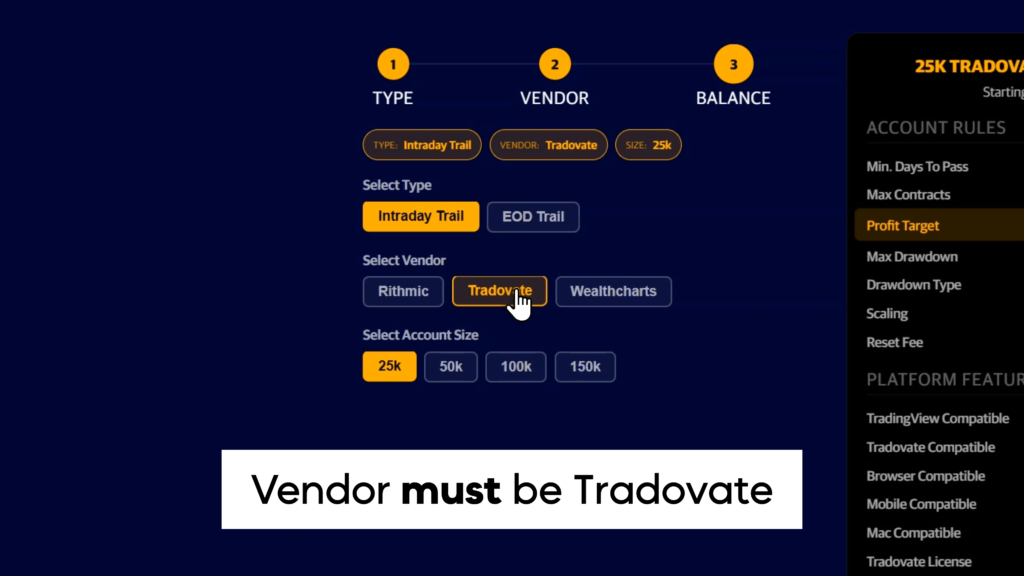
    First, you must purchase an Apex Tradovate evaluation. The other vendors are not compatible with TradingView. If I had to recommend an account, I’d choose an End Of Day Trailing $50k account, you can check my full Apex review for the reasoning. 

    code

    Use discount code TPJ for the highest possible discount, which is usually 90% off.

    Copied TPJ to clipboard
    Buy Apex Trader Funding Challenges
    View More Prop Firm Deals & Discounts

    Get Tradovate Credentials & Activate Account
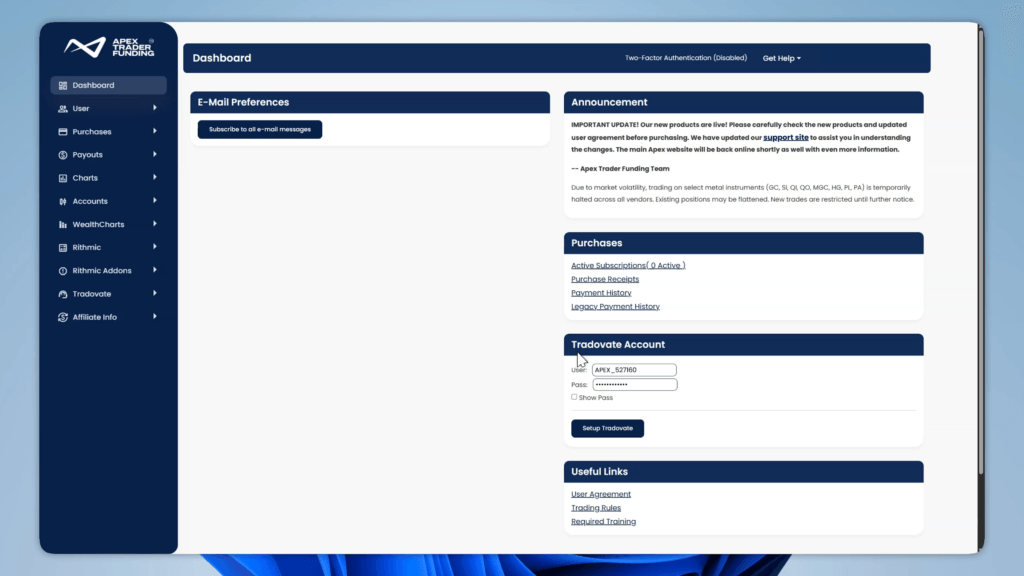
    apex trader funding dashboard

    Once you have purchased your account, go to your Apex dashboard.
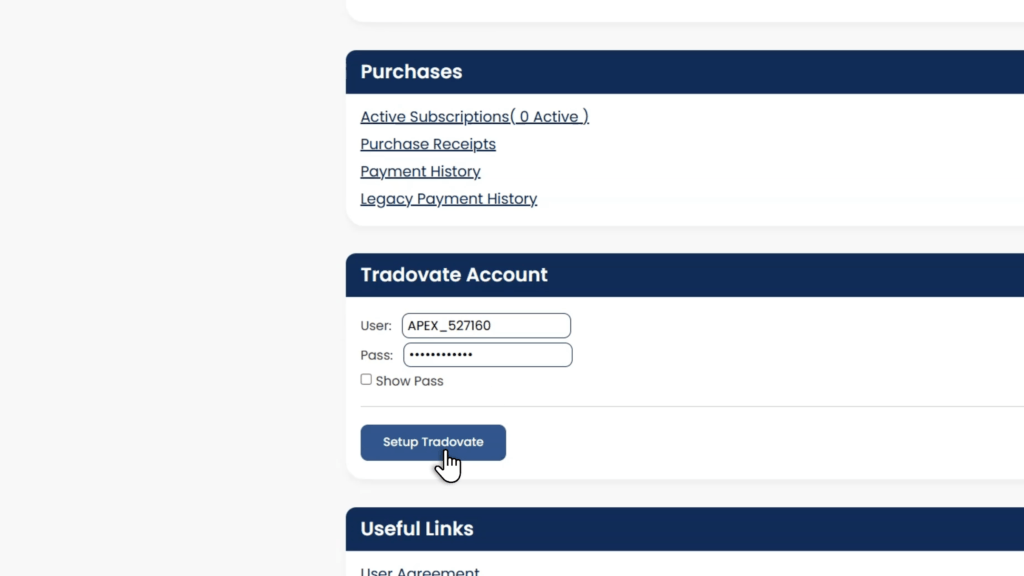
    Your Tradovate Account credentials should be in the bottom right.
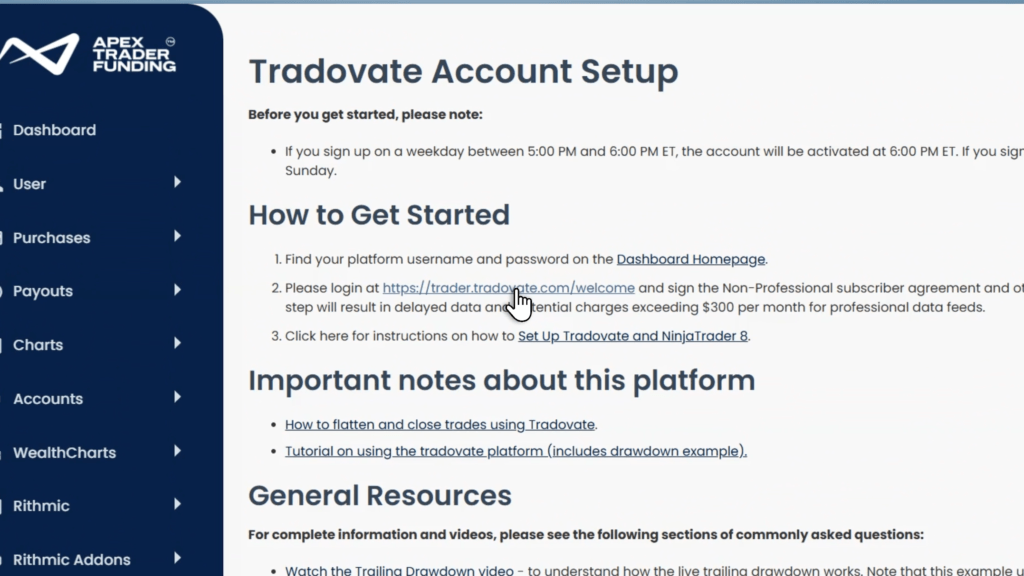
    Click the set up Tradovate button, then click the welcome link.
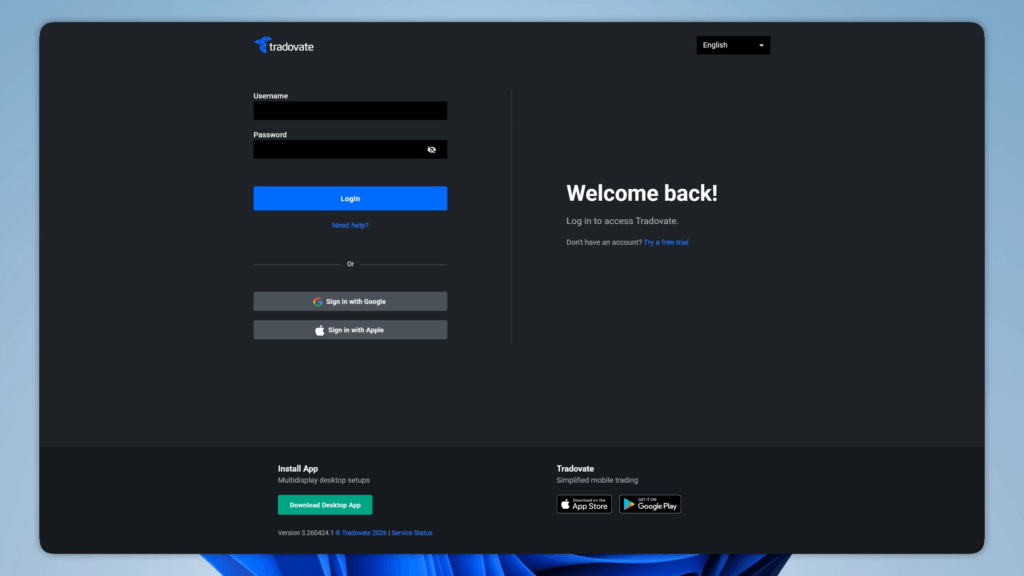
    tradovate login

    Log in with your provided credentials.
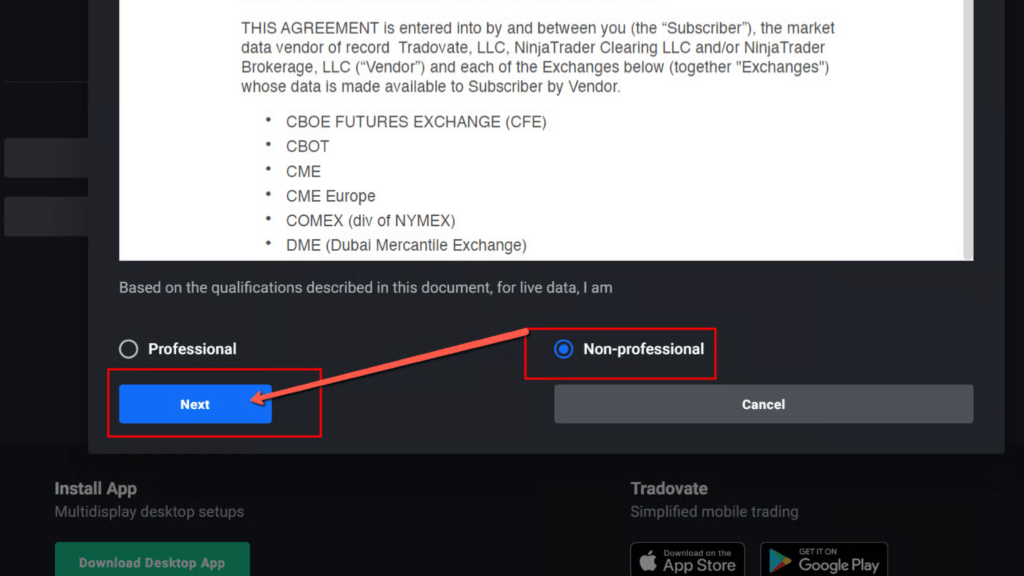
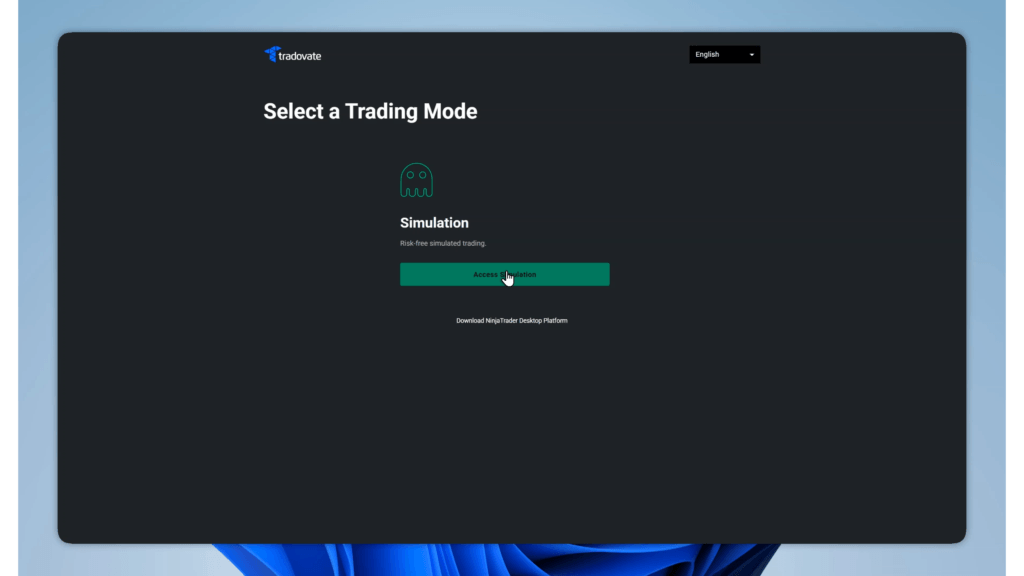
    Select non-professional, then accept all terms and conditions. Then click launch simulation trading.
    Activate TradingView Add-on
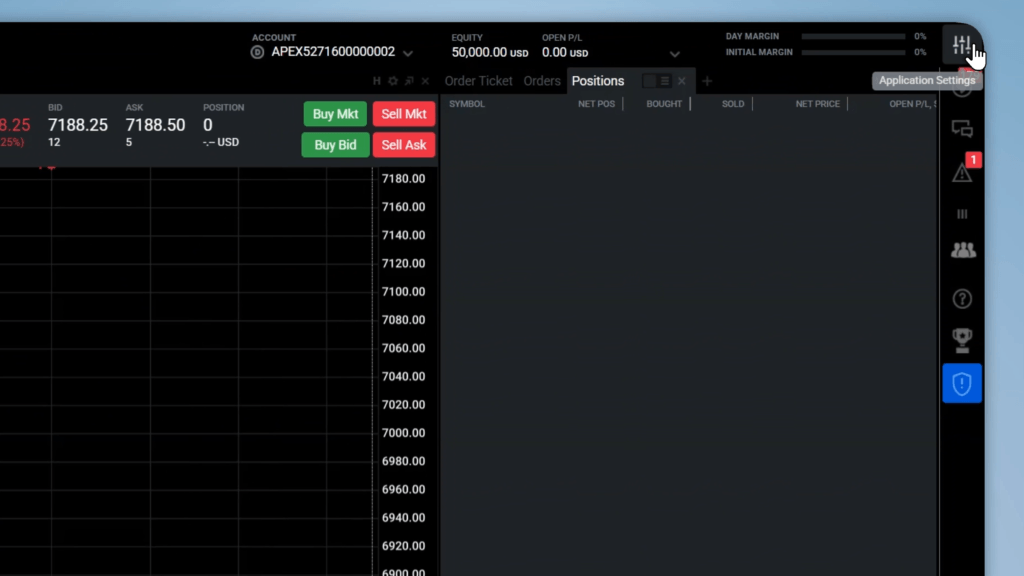
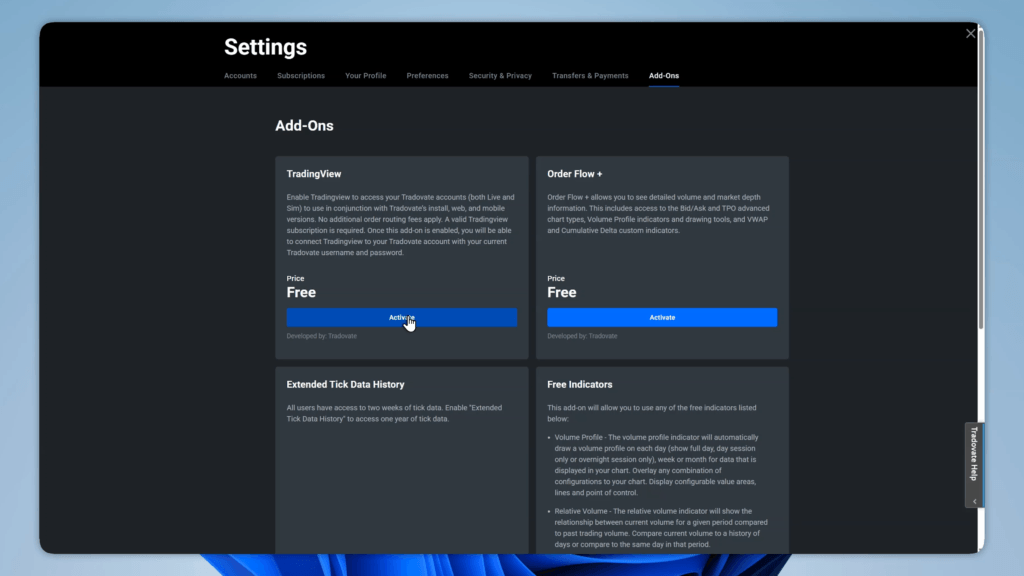
    In the top right go to the settings, then select the add-ons tab. Click activate on the TradingView add-on.
    Connect Tradovate to TradingView
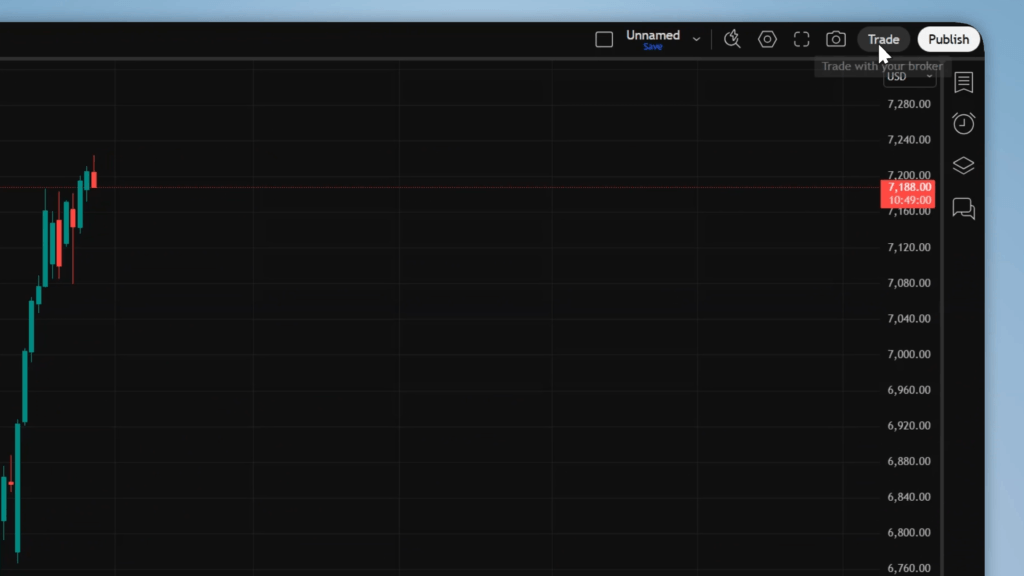
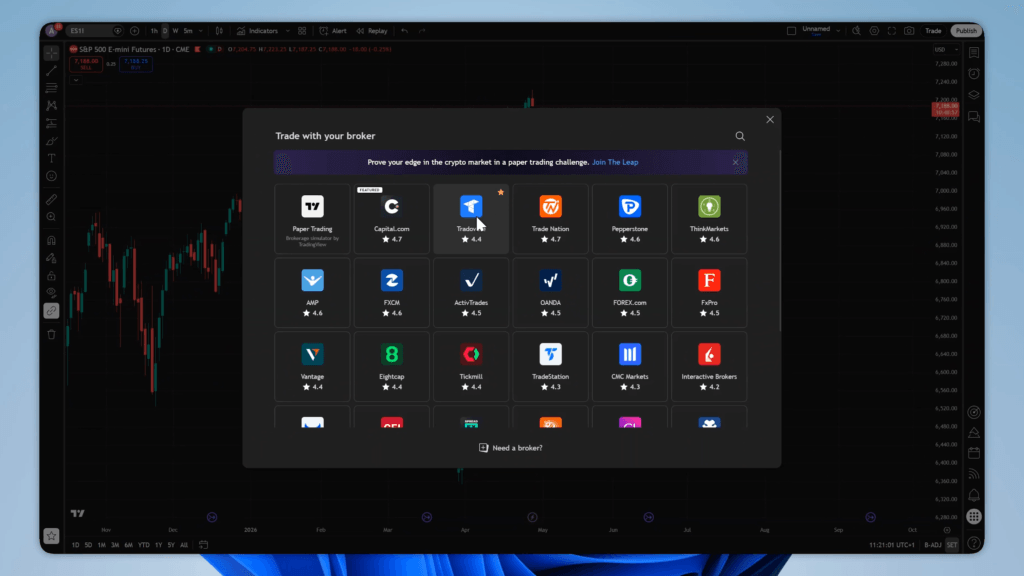
    Now go to TradingView. Click the trade button in the top right, then choose Tradovate. 
    tradovate tradingview

    Choose demo, then click connect. Log in with the same details as before.
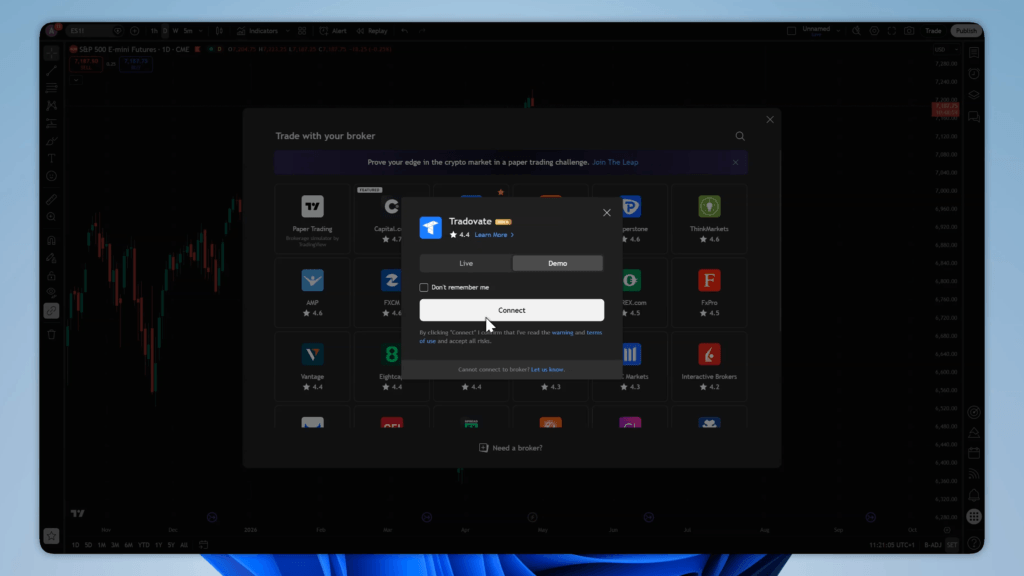
    Now your Apex account is connected to TradingView, you can click the trade button to open the trading panel, and you will now have live futures market data.

    Conclusion

    Thanks for reading, we hope this helped you connect your Apex account to TradingView, good luck with your evaluation!

    Make sure to check out my prop firm reviews, prop firm discounts and join my Discord server for giveaways.


    Apex Trader Funding Futures
    The Prop Journalist
    The Prop Journalist
    • X (Twitter)
    • Instagram

    Providing trustworthy news and insights on prop firms and trading. With reviews, guides and discount codes to help you save money.

    Keep Reading

    apex trader funding review

    Apex Trader Funding Review 2026: Payouts & Rules (+Discount)

    8.6
    fundednext futures flex plan guide

    FundedNext Futures Flex Plan Explained: Accounts from $70

    my funded futures builder plan guide

    My Funded Futures Builder Plan, Simply Explained

    6 Ways to Protect Yourself From Prop Firm Shutdowns

    Funding Ticks is Shutting Down

    How Do Online Prop Firms Work? (Forex & Futures)

    Copied TPJ to clipboard
    Buy Apex Trader Funding Challenges
    View More Prop Firm Deals & Discounts
    Table of ContentsToggle Table of ContentToggle
    • Purchase Apex Tradovate Evaluation (Use Discount Code TPJ)
    • Get Tradovate Credentials & Activate Account
    • Activate TradingView Add-on
    • Connect Tradovate to TradingView
    • Conclusion
    X (Twitter) YouTube Discord

    Prop Firms

    • Reviews
    • Guides
    • Analysis
    • News
    • Deals & Discounts

    OTHER

    • Contact us

    © 2026 The Prop Journalist

    • Privacy Policy

    Type above and press Enter to search. Press Esc to cancel.